TLS
Created
TLS (Transport Layer Security) is a protocol that gives two programs a private, tamper-proof channel over a TCPTCP Transmission Control Protocol: the transport protocol that gives two programs a reliable, ordered stream of bytes over IP, on a connection opened with a handshake. connection, and proves to the client which server it reached. HTTPS is HTTP sent through that channel. Plain HTTP crosses every router and Wi-Fi network on the path as readable bytes, so anyone on the path can read a request, change a reply, or pose as the server. TLS encrypts the bytes, detects any change to them, and checks the server’s identity before anything is sent.
TLS rests on a few parts:
- Private key: a secret number only the server holds. It signs data, and no one can produce its signatures without it.
- Public key: the private key’s partner, which anyone may have. It checks the private key’s signatures.
- Certificate: a document that binds a name, such as
web, to a public key, signed by a certificate authority. - Certificate authority (CA): an organization whose signature clients trust. Its own certificate sits in each client’s trust store.
- Handshake: the first messages of a connection, in which the two sides agree on keys and the server proves its identity.
- Session keys: keys made fresh for each connection, which encrypt everything after the handshake.

Every example here ran in two containers on one Docker network: a server web and a client, with OpenSSL 3.5 and curl 8.14.
Key pairs
A key pair is two numbers made together: a private key and the public key derived from it. What the private key signs, the public key verifies, and the public key can’t be used to work out the private key. The server’s key pair here uses ECDSA on the P-256 curve; RSA keys work the same way and are larger.
openssl genpkey -algorithm EC -pkeyopt ec_paramgen_curve:P-256 -out web.keyopenssl genpkeyGenerate a new private key.-algorithm ECUse elliptic-curve cryptography.-pkeyopt ec_paramgen_curve:P-256Use the P-256 curve, a 256-bit key.-out web.keyWrite the key to web.key.
web.key is a 241-byte PEM file, text that starts with -----BEGIN PRIVATE KEY-----, readable only by its owner. The public key is inside it and inside the certificate: hashing the public key taken from each gave the same value. Whoever has web.key can act as web, so it never leaves the server.
Certificates
A certificate is an X.509 document with these fields, shown for web.crt:
| Field | Value in web.crt | What it says |
|---|---|---|
| Subject | CN=web | Who the certificate is for |
| Subject Alternative Name | DNS:web | The names it’s valid for, which clients check |
| Public key | EC P-256 | The key that verifies the server’s signatures |
| Issuer | CN=Lab Root CA | Who signed it |
| Validity | Nov 17 2026 to Feb 15 2027 | When it’s valid |
| Basic constraints | CA:FALSE | It can’t sign other certificates |
| Key usage, extended key usage | Digital Signature; TLS Web Server Authentication | What the key may do |
| Serial number | 52:d8:18:… | Unique among the issuer’s certificates |
| Signature | ECDSA with SHA-256 | The issuer’s signature over all the fields above |
A certificate is public: the server sends it to anyone who connects. It holds no secret, only the public key and the CA’s signature. Changing any field breaks the signature. In binary form, web.crt is 426 bytes.
Certificate authorities
A client trusts a certificate when it can follow signatures from it to a certificate in its trust store. Operating systems and browsers ship trust stores holding the certificates of over a hundred public root CAs. A root CA’s certificate is self-signed: its issuer is itself, and nothing above it vouches for it, so it’s trusted only because it’s in the store. Public CAs usually sign through an intermediate CA, giving a chain of three: root, intermediate, server. The server sends its own certificate and any intermediates; the client already has the root.
Here a private CA plays that role. It’s a key and a self-signed certificate:
openssl req -x509 -new -key ca.key -subj "/CN=Lab Root CA" -days 3650 -out ca.crtopenssl req -x509Create a self-signed certificate instead of a request.-new -key ca.keyFor a new certificate with the CA’s private key, made the same way as web.key.-subj "/CN=Lab Root CA"The CA’s name, as subject and issuer.-days 3650Valid for ten years.-out ca.crtWrite the CA certificate to ca.crt.
OpenSSL marked it CA:TRUE, so it may sign other certificates.
Getting a certificate
The server asks for a certificate with a certificate signing request (CSR), which holds its name and public key, signed by its private key to prove it holds that key. The private key itself stays on the server.
openssl req -new -key web.key -subj "/CN=web" -out web.csropenssl req -newCreate a certificate signing request.-key web.keyTake the public key from web.key, and sign the request with it.-subj "/CN=web"The name being asked for.-out web.csrWrite the request to web.csr.
The CA checks the request and signs a certificate. A public CA first checks that the requester controls the name, for example by asking it to serve a token on that domain; the ACME protocol, which Let’s Encrypt uses, automates that check. A file of extensions sets the name clients will check and what the certificate may be used for:
subjectAltName=DNS:web
basicConstraints=CA:FALSE
keyUsage=digitalSignature
extendedKeyUsage=serverAuth
openssl x509 -req -in web.csr -CA ca.crt -CAkey ca.key -days 90 -extfile web.ext -out web.crtopenssl x509 -reqSign a certificate signing request.-in web.csrThe request.-CA ca.crt -CAkey ca.keySign as Lab Root CA, with its private key.-days 90Valid for 90 days.-extfile web.extAdd the extensions above.-out web.crtWrite the certificate to web.crt.
openssl verify -CAfile ca.crt web.crt checked the signature and printed OK. The server then serves HTTPS with its certificate and key:
openssl s_server -accept 443 -cert web.crt -key web.key -wwwopenssl s_serverRun a test TLS server.-accept 443Listen on port 443, the HTTPS port.-cert web.crtThe certificate to send to clients.-key web.keyThe matching private key, which signs each handshake.-wwwAnswer HTTP requests with a status page.
Started with ca.key instead of web.key, it refused: key values mismatch. A certificate is useless without its own private key.
The handshake
A client connected with curl, trusting the lab CA:
curl https://web/ --cacert ca.crt -vcurl https://web/Fetch the page over HTTPS.--cacert ca.crtTrust certificates signed by ca.crt.-vPrint each step of the connection.
After TCP’s own handshake, TLS 1.3 takes one round trip. The client speaks first and sends everything the server needs to finish in one reply:
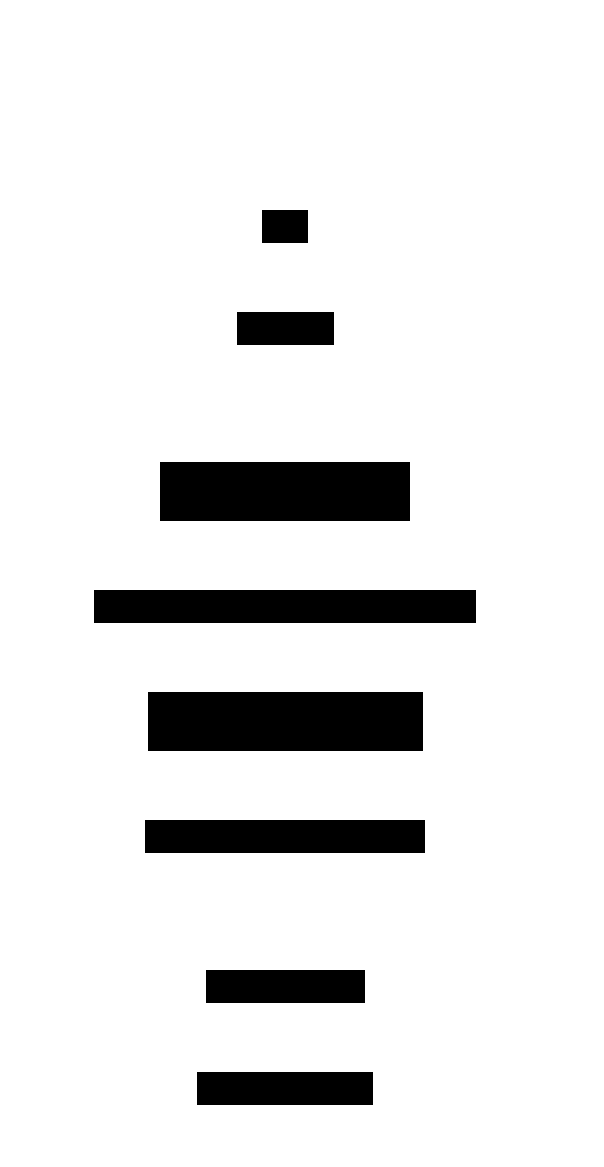
A packet capture on the client showed each message:
| Message | Sent as | Contents |
|---|---|---|
| ClientHello | plain, 1,620-byte frame | TLS versions 1.3 and 1.2, 30 cipher suites, the server name web, application protocols h2 and http/1.1, and two key shares |
| ServerHello | plain | TLS 1.3, cipher suite TLS_AES_256_GCM_SHA384, and the server’s key share |
| EncryptedExtensions | encrypted | Other settings, such as the application protocol |
| Certificate | encrypted | web.crt only, 426 bytes; the root stays out |
| CertificateVerify | encrypted | A signature with web.key over every handshake message so far |
| Finished, server’s | encrypted | A code computed from the handshake keys and every handshake message |
| Finished, client’s | encrypted | The same from the client |
The server’s messages, from ServerHello to Finished, arrived in one 1,952-byte frame. After the client’s Finished, the server sent two NewSessionTicket messages, which let a later connection skip part of the handshake, and the client sent the HTTP request.
curl reported TLSv1.3 / TLS_AES_256_GCM_SHA384 / X25519MLKEM768: the protocol version, the cipher suite, and the key exchange group.
Session keys
The two sides make the session keys without ever sending them. Each side creates a key share, a fresh key pair for this connection only, and sends the public half. From its own private half and the other side’s public half, each computes the same shared secret, which an observer who saw both public halves can’t compute. This is a Diffie-Hellman key exchange; ML-KEM, below, reaches a shared secret a different way, but with the same result. From the shared secret, each side derives handshake keys, which encrypt the rest of the handshake, and then application keys, which encrypt HTTP.
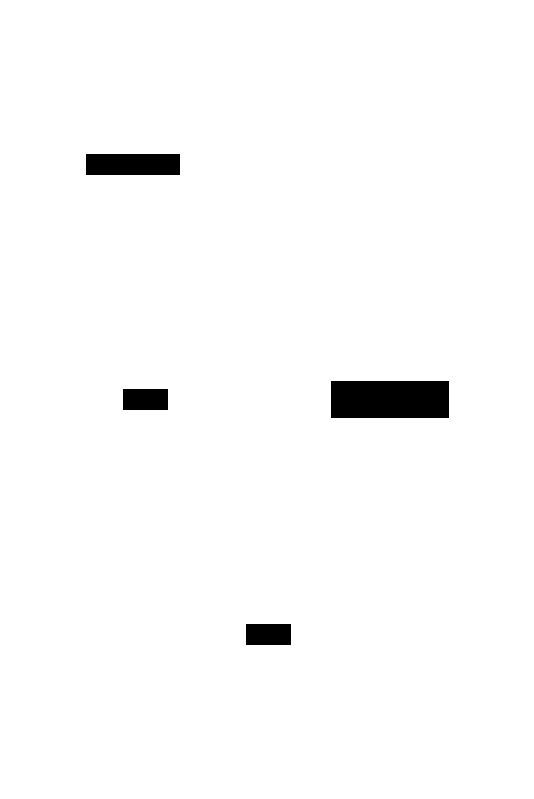
The client offered two key shares: X25519MLKEM768, 1,216 bytes, and plain X25519, 32 bytes. The server picked X25519MLKEM768 and answered with 1,120 bytes. It’s a hybrid of X25519, a classic elliptic-curve exchange, and ML-KEM, a method designed to hold up against future quantum computers; its standard is still an Internet-Draft. With --curves X25519, the connection used plain X25519.
The server’s private key doesn’t encrypt anything in TLS 1.3. It only signs CertificateVerify, which proves that the server holding web.crt also holds web.key. Session keys come only from the key shares, which are thrown away after the handshake. So a copy of web.key stolen later can’t decrypt a recorded connection, a property called forward secrecy. TLS 1.2 also allowed RSA key exchange, in which the client encrypted the secret with the server’s public key, so the private key could decrypt every recorded connection; TLS 1.3 removed it. The capture of this connection decrypted only with the session secrets curl wrote to a key log file (SSLKEYLOGFILE), five of them: two for the handshake, two for application data, and one for exporting keys.
What the client checks
Before trusting the connection, the client checks:
- The chain: each certificate’s signature verifies with the public key of the one above it, up to a certificate in the trust store.
- The dates: the current time falls inside each certificate’s validity.
- The name: the name in the URL matches a Subject Alternative Name. The subject’s CN isn’t used for this.
- The usage: the server certificate may be used for TLS server authentication, and only CA certificates sign others.
- Possession: CertificateVerify’s signature verifies with the certificate’s public key.
- Integrity: the server’s Finished matches what the client computes, so no handshake message was changed on the way.
curl printed SSL certificate verify ok and host "web" matched cert's "web". Each failed check stopped the connection before any HTTP was sent:
| Change | Result |
|---|---|
No --cacert, so the lab CA isn’t trusted | unable to get local issuer certificate |
Connecting by IP address, https://172.22.0.2/ | no alternative certificate subject name matches target ipv4 address |
| Server started with a key that isn’t the certificate’s | The server didn’t start: key values mismatch |
What stays visible
Encryption hides the content, not the connection. In the TLS 1.3 capture, an observer could read:
- IP addresses and ports, which TCP and IP need to deliver packets.
- The ClientHello: the server name
web, carried in the Server Name Indication (SNI) extension so a server with many names can pick the right certificate, and the offered application protocols. - The sizes and timing of every packet.
The certificate wasn’t readable: TLS 1.3 encrypts every handshake message after ServerHello. In a TLS 1.2 capture of the same request, the Certificate message crossed in the clear, and the names Lab Root CA and web could be read from it.
Round trips
TLS adds round trips before the first byte of the reply. With 50 ms of delay added to the client’s traffic by tc netem, curl timed each request:
| Request | Connected | TLS done | First byte |
|---|---|---|---|
| HTTP | 51 ms | — | 105 ms |
| HTTPS, TLS 1.3 | 51 ms | 104–108 ms | 155–159 ms |
| HTTPS, TLS 1.2 | 51 ms | 154–157 ms | 206–212 ms |
TLS 1.3 adds one round trip and TLS 1.2 two. In TLS 1.2 the client sends its key share only after the server’s first reply, so the Finished messages need a second round trip. TLS 1.3 also has a mode that sends data in the first message on a resumed connection, called 0-RTT, at the cost of weaker guarantees for that data.
In a program
In Go, crypto/tls implements TLS, and net/http uses it. A server calls http.ListenAndServeTLS(":443", "web.crt", "web.key", handler). A client uses the system trust store by default; trusting the lab CA takes a tls.Config whose RootCAs pool holds ca.crt. The handshake runs on the first read or write, or on an explicit Handshake call, and ConnectionState reports the version, cipher suite, and the server’s certificates afterwards. Networking basics covers the TCP and IP layers TLS runs on.
References: RFC 8446: TLS 1.3, RFC 5280: X.509 certificates, RFC 9525: Service identity in TLS, RFC 9110: HTTP semantics, https, RFC 6066: TLS extensions, server name indication, RFC 7301: ALPN, RFC 8555: ACME, RFC 7748: X25519, Hybrid ECDHE-MLKEM for TLS 1.3 (Internet-Draft), RFC 9850: The SSLKEYLOGFILE format, OpenSSL commands, Go crypto/tls