The Kubernetes API
Created · Updated
The Kubernetes API is the HTTP interface through which everything reads and changes a cluster. Every part of the cluster is described by an object stored behind it: each Deployment, pod, Service, and node. Every component reads and changes cluster state only through it. kubectl, the controllerscontroller A control loop that watches the cluster through the API server and makes or requests changes to move its current state toward the desired state., the schedulerscheduler The control plane component that watches for new pods with no node assigned and picks a node for each one to run on., and the kubeletkubelet The agent that runs on each node in a Kubernetes cluster and makes sure the containers in its pods are running. are all clients of the API serverAPI server The control plane component that serves the Kubernetes API. Every other component, and every tool such as kubectl, reads and changes cluster state only through it., which stores the objects in etcdetcd A consistent, highly available key-value store that Kubernetes uses to keep all cluster data. Only the API server talks to it.. One shared store of objects lets each component work alone: it reads the objects it cares about, does its job, and writes the result back.
The API has a few parts:
- Resources: URLs that name one object or a collection of objects.
- Objects: records in a fixed shape, with metadata, a spec, and a status.
- The spec: the state you want, which you write.
- The status: the state that is, which a controller writes.
- Events: separate objects that record what controllers did and why.

Resources and URLs
The API is a REST API. Each object type is a resource with its own URL, and HTTP methods act on it: GET reads, POST creates, PUT replaces, PATCH changes some fields, and DELETE removes. A GET on a collection is called a list. A GET with ?watch is called a watch and keeps the connection open, streaming each change as it happens.
The URL of the Deployment web names everything needed to find it:
/apis/apps/v1/namespaces/default/deployments/web/apisNamed API groups. The oldest types, such as pods, Services, and nodes, form the core group, which lives under/apiand has no group segment.appsThe API group, a family of related types. Deployments and ReplicaSets are inapps.v1The version of the group’s schema. A type can be served in more than one version at once.namespaces/defaultThe namespace. Cluster-wide types, such as nodes, have no namespace segment.deploymentsThe resource, the plural name of the type.webThe object’s name. Without it, the URL is the collection of all Deployments in the namespace.
The pod web-6d4cf56db6-x8r2k is in the core group, so its URL is /api/v1/namespaces/default/pods/web-6d4cf56db6-x8r2k.
Resources and objects
A resource and an object aren’t the same thing. One object can be reached through several resources: the Deployment web appears in the list at …/deployments and alone at …/deployments/web. Some objects have subresources, such as …/deployments/web/status, which reads and writes only the status part, and …/deployments/web/scale, which reads and writes only the replica count. Some resources store nothing: a POST to subjectaccessreviews asks whether a user may perform an action, and the answer comes back without any object being created.

Talking to the API directly
kubectl turns each command into HTTP requests. The API server serves only TLS and checks who each client is, and kubectl handles both with the server address and credentials in its kubeconfigkubeconfig A file that tells kubectl which clusters exist, how to reach and trust their API servers, and which credentials to use.. Three commands show the HTTP underneath.
To send a GET to any URL and print the JSON the API server returns:
kubectl get --raw /apis/apps/v1/namespaces/default/deployments/webkubectl get --rawSend a GET to the path that follows, with kubectl’s credentials, and print the response body as is./apis/apps/v1/namespaces/default/deployments/webThe path, as in the previous section.
To reach the API with plain HTTP tools such as curl, start a local proxy that adds the credentials:
kubectl proxy --port=8001kubectl proxyListen on the local machine and forward each request to the API server with kubectl’s credentials.--port=8001Default, can be left out. The local port. Requests go tohttp://127.0.0.1:8001followed by an API path.
To see which requests an ordinary command sends:
kubectl get deployment web -v=6kubectl get deployment webRead one Deployment.-v=6Log each request’s method, URL, and response code. Level 7 adds the request headers, and level 8 the request and response bodies.
The responses are JSON by default. A client can ask for YAML instead, or for Protobuf, a binary format that the built-in components use for speed. kubectl converts a YAML manifest to JSON before sending it.
Four parts of every object
Every object has the same outline. Type metadata, apiVersion and kind, says which schema the rest follows. Object metadata, under metadata, holds the name and the other fields that identify the object, and its fields are the same for every kind. The spec holds the desired state, and the status holds the actual state. Their fields differ for each kind.
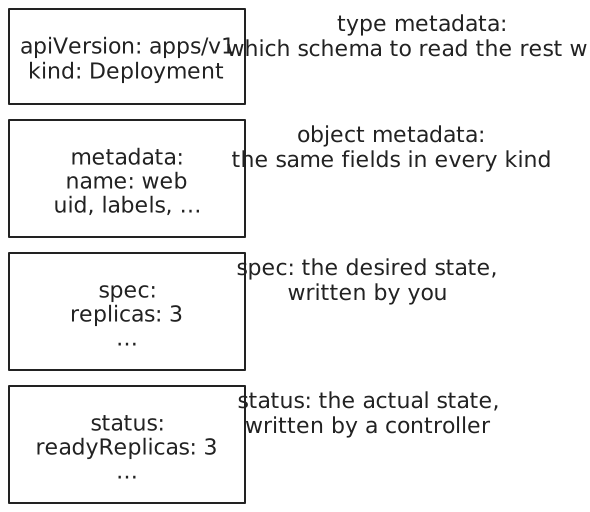
A GET returns the whole object, all four parts. Not every kind has a spec and a status: objects that only hold data, such as ConfigMaps and Events, have neither, because there is no desired state to reach.
Spec, status, and controllers
The spec and the status are written by different parties. You write the spec. A controller watches objects of its kind, compares each spec with the real state of the cluster, and acts to close the gap. Then it writes what it observed into the status. It also records what it did as Event objects. Most kinds have one controller that owns them. The Deployment controller, for example, owns Deployments.
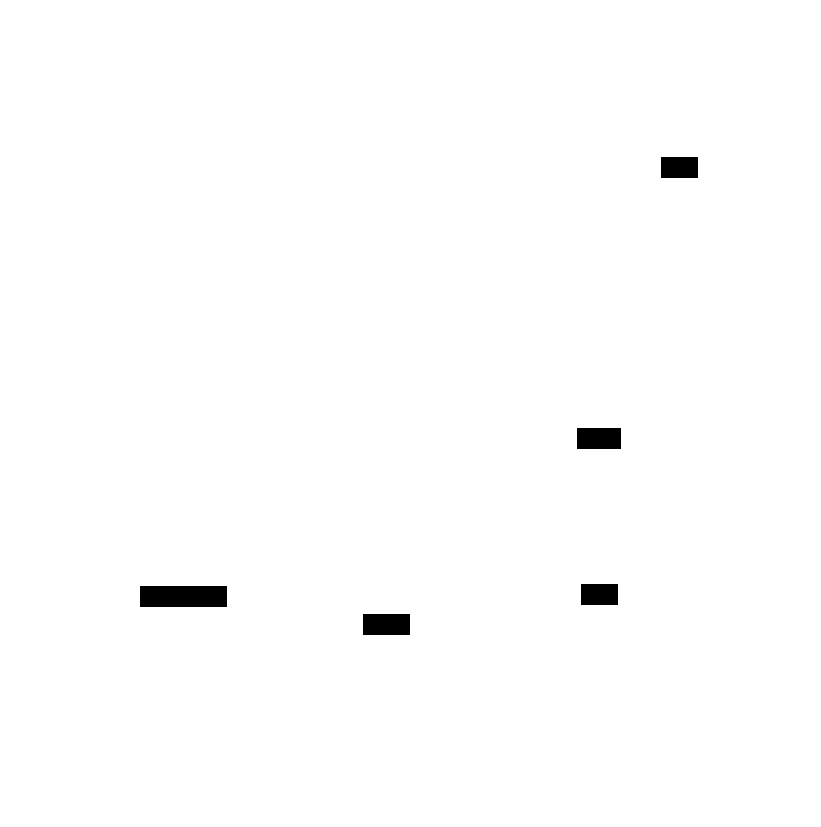
The loop never ends. If a pod dies, the status falls short of the spec again, and the controllers act again. Writing the spec states a result, not the steps to reach it.
A manifest, part by part
This command prints the whole Deployment web:
kubectl get deployment web -o yaml --namespace=defaultkubectl get deployment webRead the Deployment namedweb.-o yamlPrint the full object as YAML.-o jsonprints JSON, the form the API server sent. Without-o, kubectl prints a one-line summary.--namespace=defaultDefault, can be left out. The namespace of the current kubeconfig context.
Trimmed, with comments added, it looks like this:
apiVersion: apps/v1               # type metadata
kind: Deployment
metadata:                         # object metadata
  name: web
  namespace: default
  uid: 3f6c1d2e-…                 # set by the API server
  resourceVersion: "4822"         # changes on every write
  generation: 2                   # changes when the spec changes
  creationTimestamp: "2026-11-07T20:50:12Z"
  labels:
    app: web
spec:                             # written by you
  replicas: 3
  selector:
    matchLabels:
      app: web
  template: …                     # the pod template
status:                           # written by the Deployment controller
  observedGeneration: 2
  replicas: 3
  readyReplicas: 3
  availableReplicas: 3
  conditions: …
The API server fills in many fields that the original manifest left out: the uid, the timestamps, the defaults in the spec, and the whole status.
Object metadata
The metadata fields are the same in every kind. Some are set by you, and some only by the system.
| Field | Meaning |
|---|---|
name | Unique among objects of one kind in one namespace. Can’t change. |
namespace | The namespace the object lives in. Can’t change. |
uid | Unique across the cluster’s whole history. Set by the API server. |
labels | Key-value pairs that selectors match, as a Service’s selector does. |
annotations | Key-value pairs for tools. Selectors can’t match them. |
ownerReferences | The objects this one belongs to. A pod lists its ReplicaSet. When all owners are deleted, the object is garbage collected. |
resourceVersion | The version of this copy of the object. Set by the API server. |
generation | A counter of changes to the spec. Set by the API server. |
finalizers | Work that must finish before the object is deleted. |
selfLink appears in older output and in old books. The API server no longer fills it in.
Versions and conflicts
Every write gives the object a new resourceVersion. A client that updates an object sends back the resourceVersion it read. If the object changed in between, the API server rejects the update with 409 Conflict, and the client reads the object again and retries. No change is lost silently, even with many writers.
Controllers use the same numbers to stay current without polling. A controller lists the objects once, then watches from the resourceVersion the list returned, and the API server streams every later change. The API server keeps about five minutes of history for this. A watch that starts from an older version fails with 410 Gone, and the controller lists again.
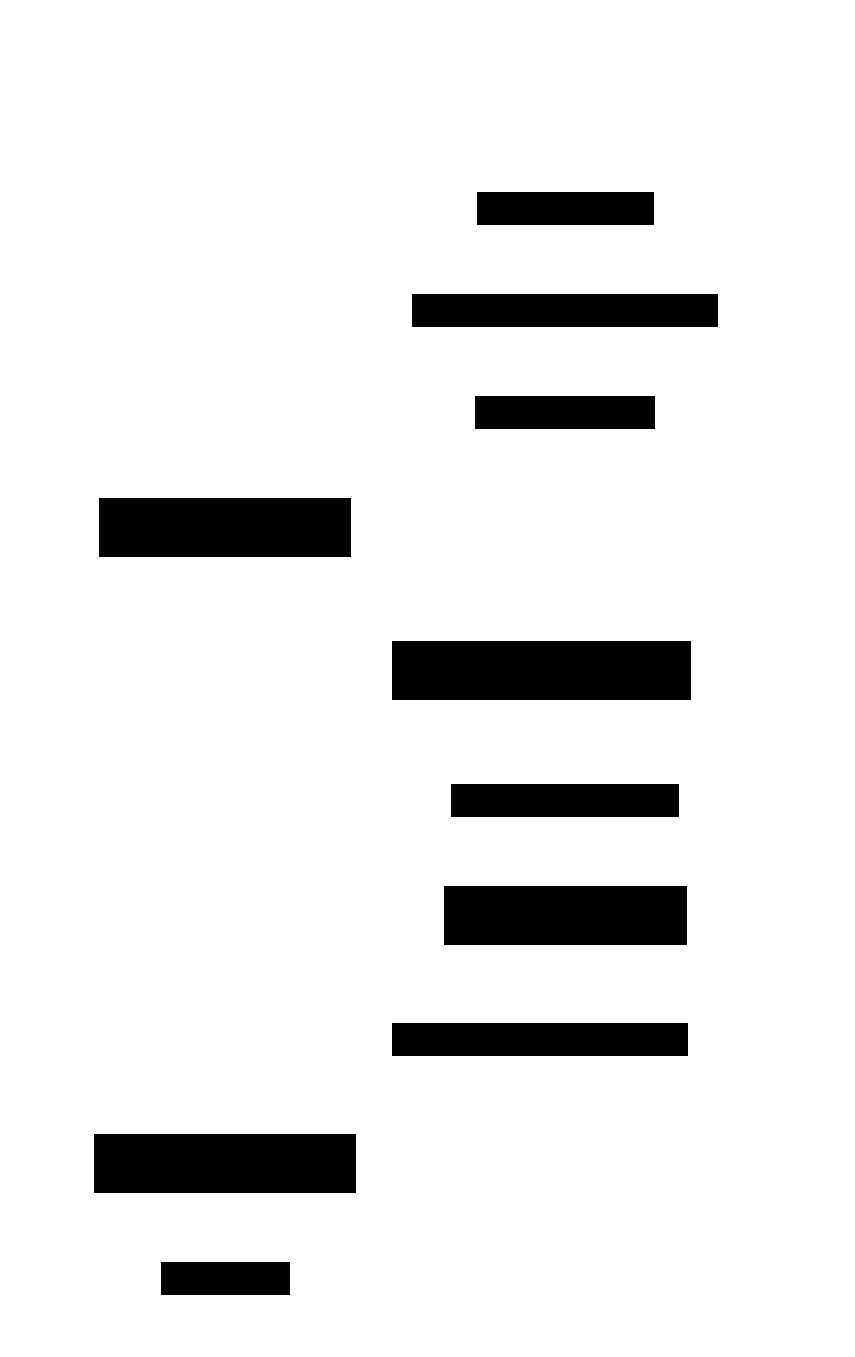
generation and observedGeneration show whether a controller has caught up. The API server raises generation when the spec changes. The controller copies the generation it last acted on into status.observedGeneration. While the two differ, the status describes an older spec.
Looking up fields
The API describes its own types. kubectl reads that description to explain any field:
kubectl explain deployment.spec.replicas --recursive=falsekubectl explainPrint the documentation for a type or a field, from the schema the API server publishes.deployment.spec.replicasA dot path from the type down to the field.deploymentalone describes the type and lists its top-level fields.--recursive=falseDefault, can be left out. With--recursive, list every nested field name, without descriptions.
To list every type the cluster serves, with its short name, API group, and whether it’s namespaced:
kubectl api-resourceskubectl api-resourcesList every resource type the API server serves.
Status conditions
Many kinds report their status as a list of conditions instead of one state field. Each condition covers one aspect of the object and has a type, a status of True, False, or Unknown, a reason for programs, a message for people, and a lastTransitionTime. A list can gain new types without breaking clients that read only the ones they know.
A pod’s conditions become True roughly in order as it starts:

The last one, Ready, decides whether the pod receives connections from a Service. A Deployment has the conditions Available and Progressing. A node’s conditions include Ready, MemoryPressure, DiskPressure, and PIDPressure, which turn True when the node runs low on memory, disk, or process IDs.
kubectl describe
kubectl describe prints an object in readable form, and adds information that isn’t in the object itself:
kubectl describe pod web-6d4cf56db6-x8r2kkubectl describePrint one or more objects in readable form, with related objects and recent events.pod web-6d4cf56db6-x8r2kThe kind and the name. Without a name, it describes every object of that kind in the namespace.
kubectl assembles the result from several requests. For a node, it lists the pods running there by querying the pods resource. For any object, it lists the Events about it. None of this is stored in the object, and kubectl get -o yaml doesn’t show it.
Events
Controllers and the kubelet report what they do by creating Event objects. Each Event points to the object it’s about, in its involvedObject field, and has a type, Normal or Warning, a reason, a message, the component that reported it, and a count of how often it repeated. Events are separate objects, so they don’t make the object they describe any larger. The API server keeps Events for one hour by default, a limit set by its --event-ttl flag, so they show only recent history.
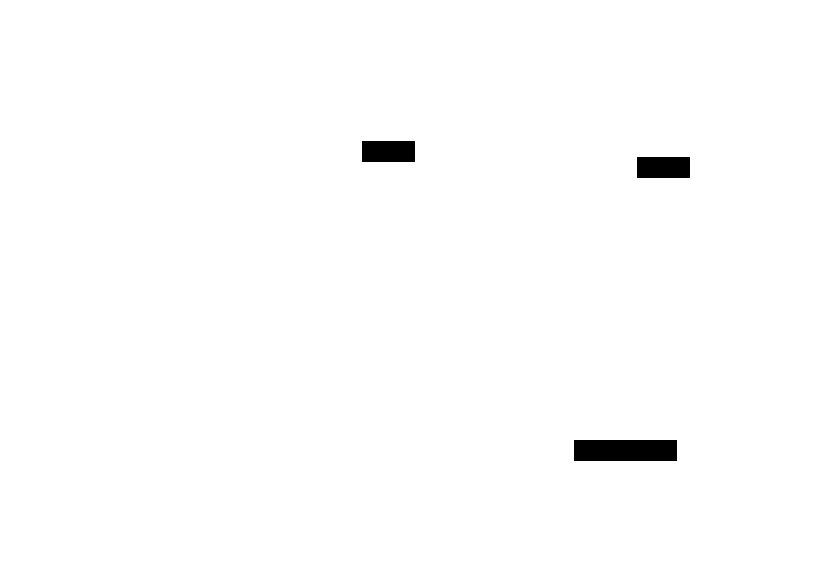
To list the events for one pod and keep printing new ones:
kubectl events --for pod/web-6d4cf56db6-x8r2k --types=Warning --watchkubectl eventsList recent events in the namespace.--for pod/web-6d4cf56db6-x8r2kOnly events about this object. Without it, every event in the namespace.--types=WarningOnly Warning events. Without it, both types.--watchKeep running and print new events as they arrive.
A pod’s normal start leaves Scheduled from the scheduler, then Pulling, Pulled, Created, and Started from the kubelet. Warnings point to what went wrong. FailedScheduling means no node fits the pod, and BackOff means a container keeps exiting and the kubelet is waiting longer between restarts.
Objects without a spec and status
An Event is one of the kinds with no spec or status. Its fields sit at the top level, and kubectl prints fields in alphabetical order, so kind and metadata end up in the middle:
apiVersion: v1
eventTime: "2026-11-07T20:50:14.120934Z"
involvedObject:
  kind: Pod
  name: web-6d4cf56db6-x8r2k
  namespace: default
kind: Event
message: Successfully assigned default/web-6d4cf56db6-x8r2k to node-1
metadata:
  name: web-6d4cf56db6-x8r2k.18a5c3f2b1e0d4a7
  namespace: default
reason: Scheduled
reportingComponent: default-scheduler
type: Normal
This is the v1 Event. A newer version, in the events.k8s.io group, serves the same stored events with renamed fields: regarding for involvedObject, and note for message. It’s another case of one object reached through two resources.
References: Kubernetes API concepts, Objects in Kubernetes, ObjectMeta, Controllers, Pod conditions, Event, kube-apiserver, kubectl quick reference, kubectl events